✦ Splitting bills, solved

Split the bill.
Not the friendship.

Scan the receipt, tap who had what, and CheckMate handles the math, the reminders, and the awkward "so… who owes what?" text. Friends can join and pay without ever creating an account.

Free to use. No credit card required. iOS only, for now.

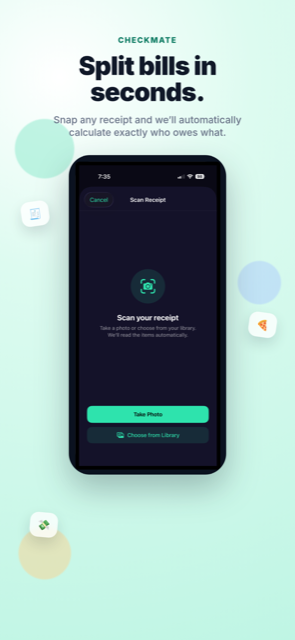
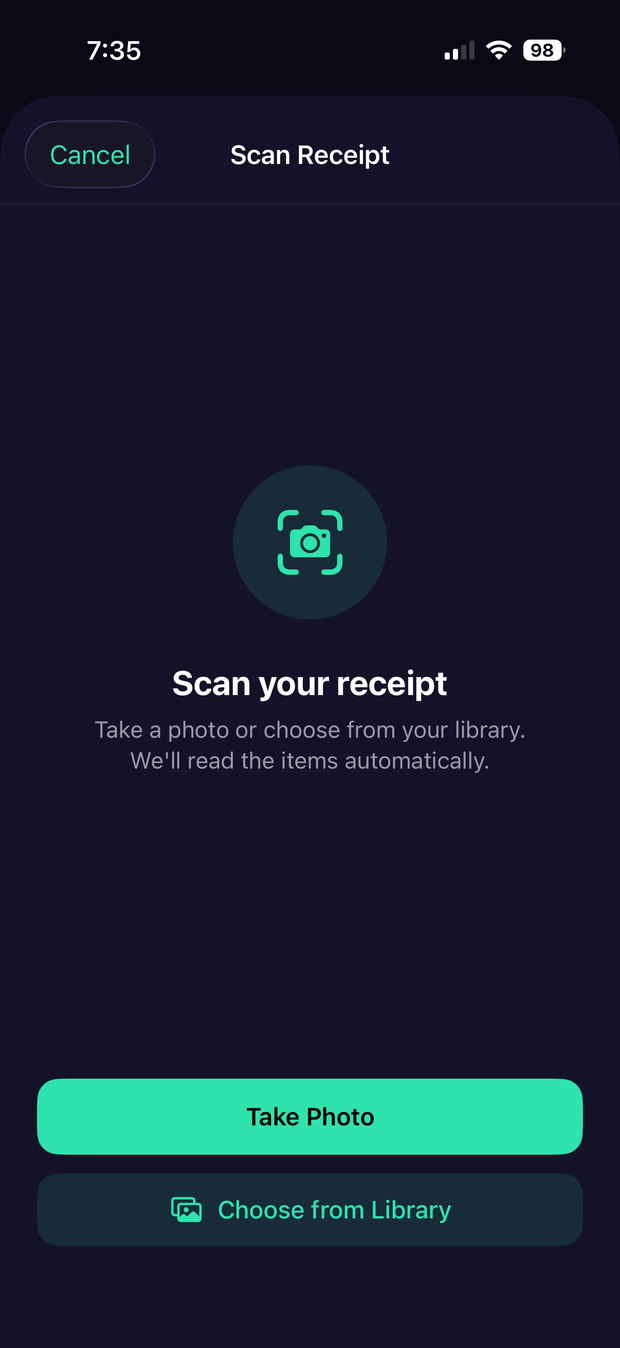
CheckMate Scan Receipt screen with Take Photo and Choose from Library options
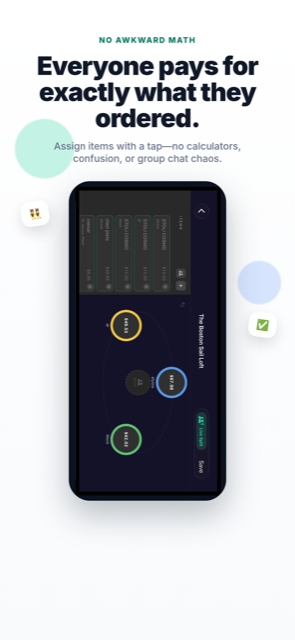
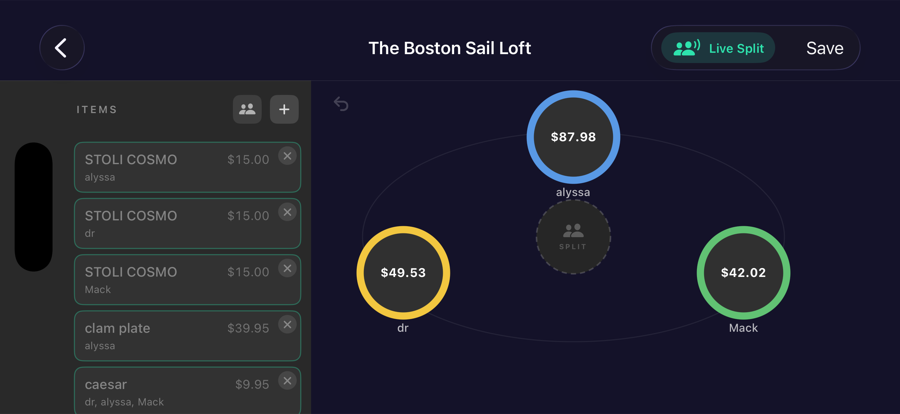
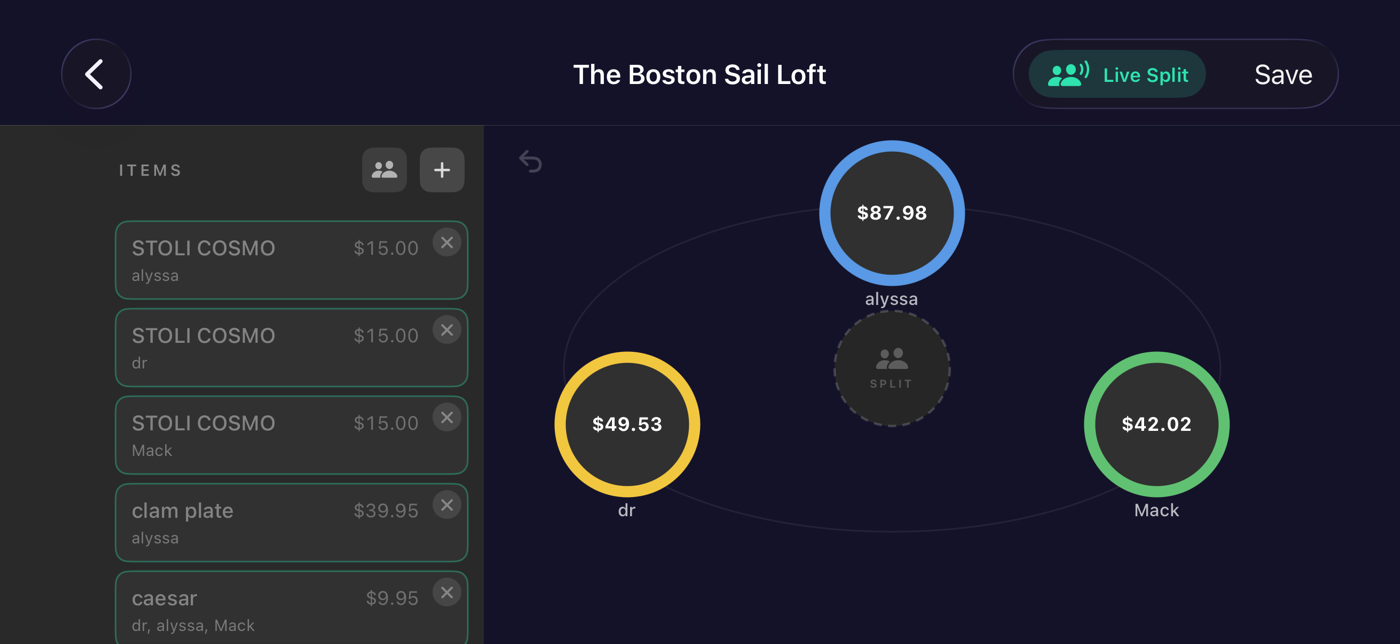
CheckMate Live Split screen showing itemized items and each person's split total in colored circles
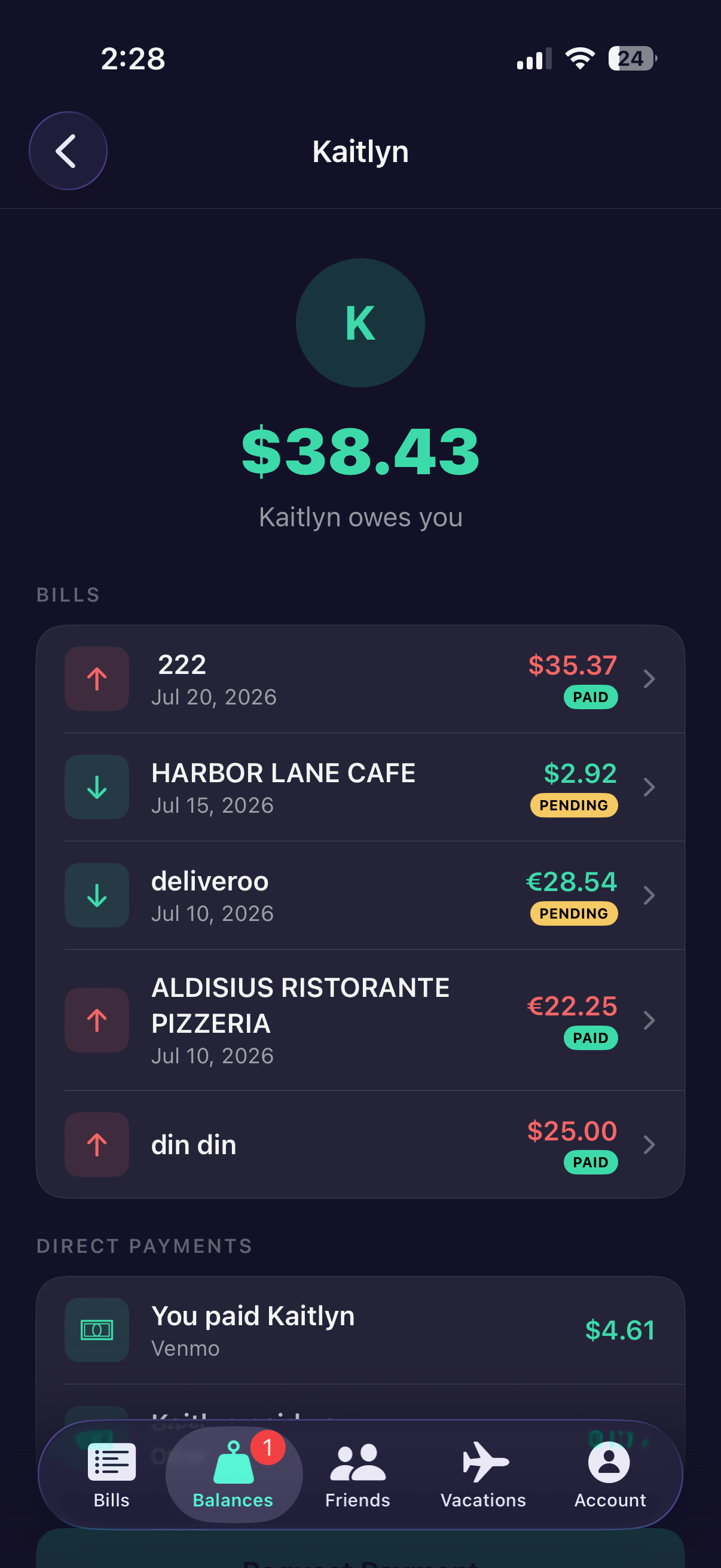
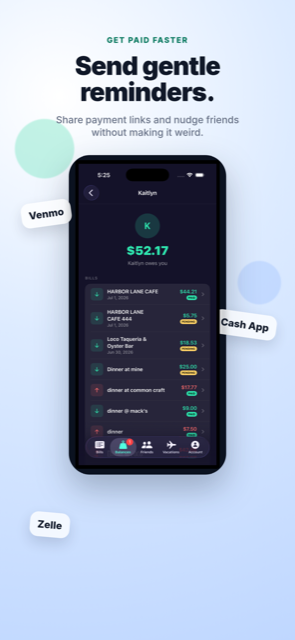
CheckMate Balances tab showing a friend's running balance

Everything you need to split fairly

No spreadsheets. No IOUs scribbled on a napkin. Just an even split, every time.

AI Receipt Scanning

Snap a photo and CheckMate reads every item, price, tax, and tip automatically.

QR Code Sharing

Generate a code at the table. Everyone scans in and sees the bill instantly.

Guest Access

Friends who already have CheckMate can view, claim items, and pay their share without ever making an account.

Real-Time Collaboration

Everyone claims their own items live, from their own phone, at the same time.

$

Payment Tracking

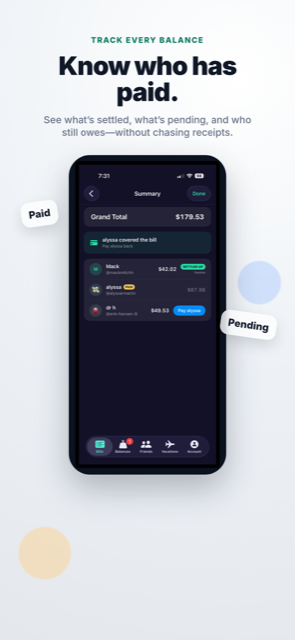
See who's paid, who hasn't, and how much is left — at a glance, on every bill.

Smart Reminders

CheckMate nudges people who haven't paid, so you never have to send that text again.

Running Balances

See exactly who owes who across every bill you've split together, over time.

Venmo, Zelle & Apple Pay

Settle up in the app you already use. CheckMate links straight into it — no new payment system to learn.

See CheckMate in action

From scanning the receipt to settling up — here's the whole flow.

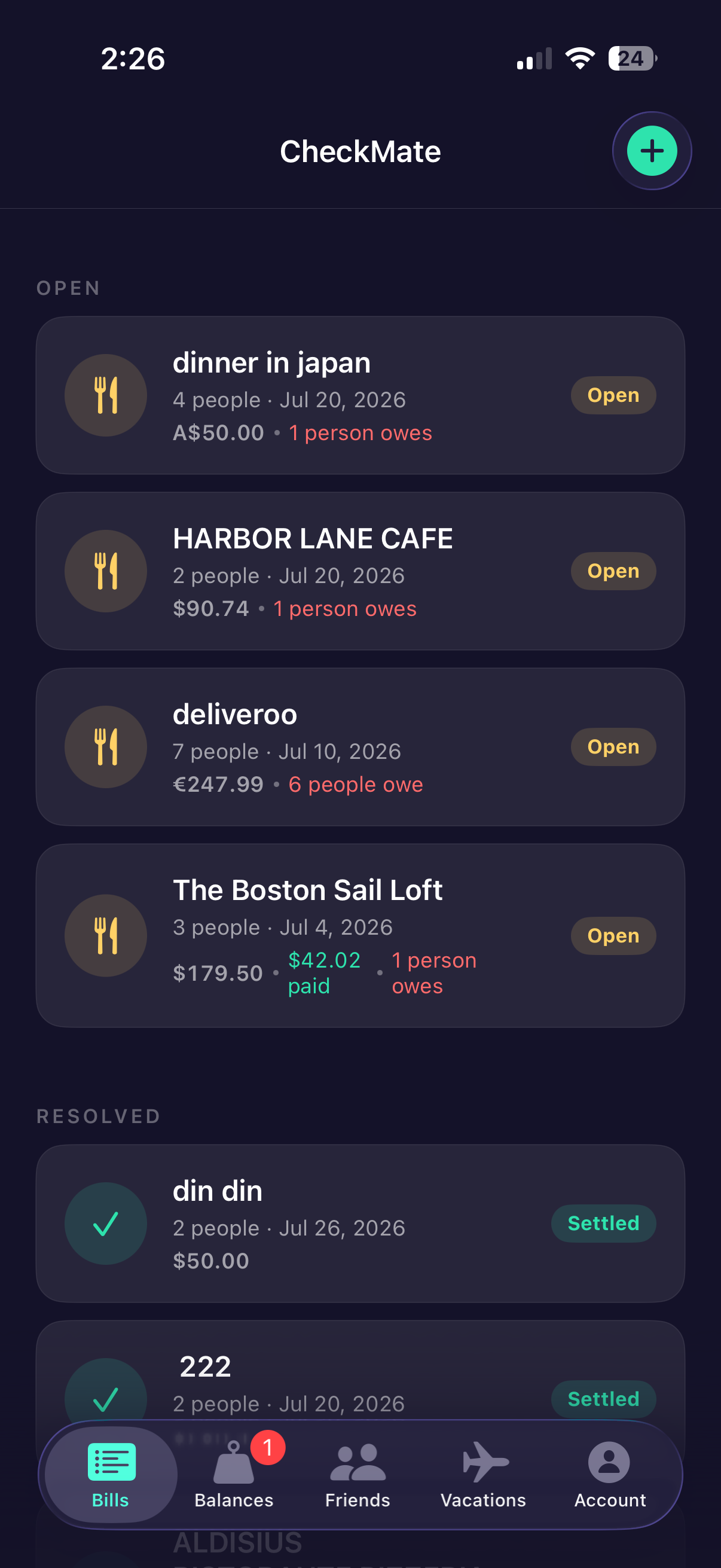
CheckMate scan receipt screen with Take Photo and Choose from Library options CheckMate item assignment screen showing each person's split total CheckMate bill summary screen showing paid, pending, and settled status for each person CheckMate balance detail screen with Venmo, Cash App, and Zelle payment options CheckMate Vacation Mode screen converting a trip's expenses into home currency CheckMate bills list showing open and resolved bills
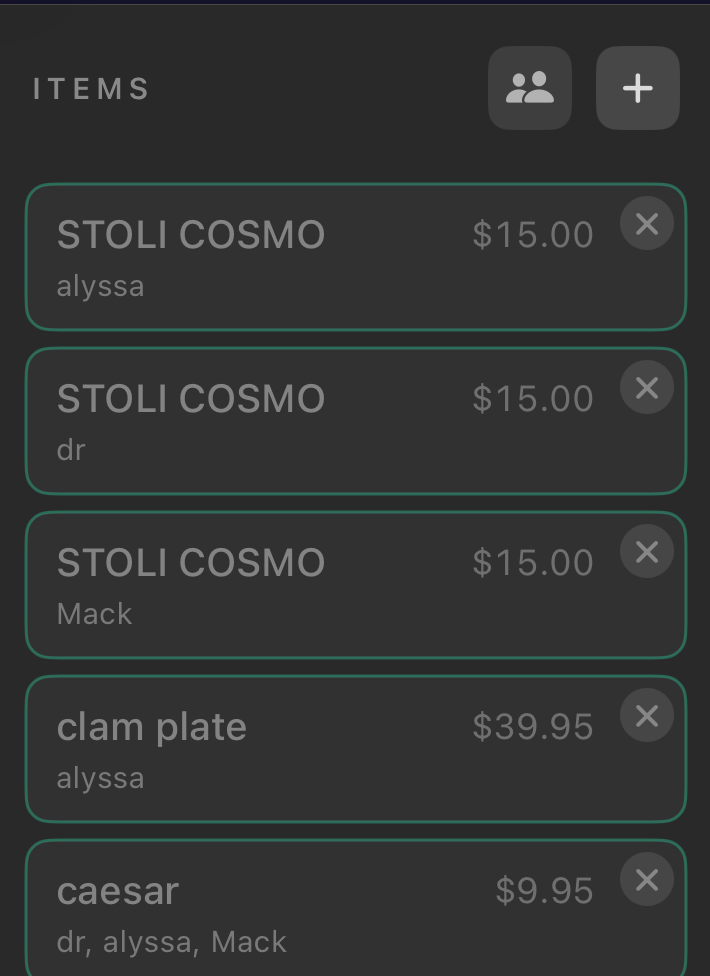
CheckMate itemized receipt list with each item assigned to a person
✦ AI-Powered

Point your camera. Skip the typing.

Crumpled receipt, faded ink, a 40-item bar tab — doesn't matter. CheckMate's AI reads the receipt and turns it into a clean, itemized list in seconds, tax and tip included.

  • Works on printed and handwritten receipts
  • Automatically separates tax, tip, and service fees
  • Edit any item in one tap if something looks off
✦ Never chase a friend again

Know exactly who's paid — and who's stalling.

Every split comes with a live status for each person: paid, pending, or reminded. CheckMate tracks it automatically and sends a gentle nudge so you don't have to be the one asking.

  • Real-time paid / pending status for every participant
  • Automatic, non-awkward payment reminders
  • Running balances so small debts don't get lost between bills
CheckMate Live Split screen showing each person's running total in real time
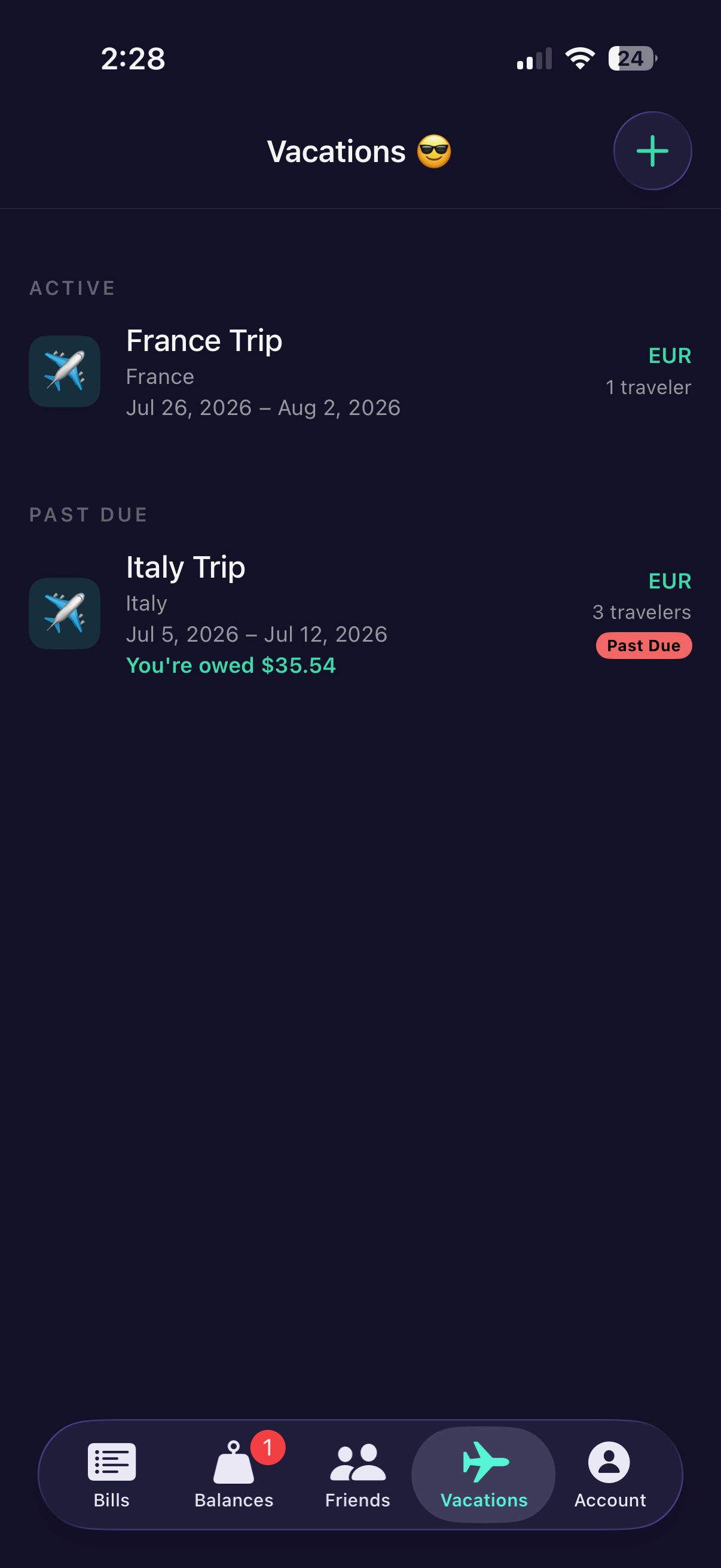
CheckMate Vacations tab showing active and past-due trips with currency and balance owed
✦ Premium · Vacation Mode

Traveling with friends? Split in every currency at once.

Scan a receipt in euros, yen, or pesos, and CheckMate converts everyone's share into the currency they actually understand — automatically, using live exchange rates.

  • Automatic currency detection and conversion
  • Each friend sees their share in their own home currency
  • One trip, one running balance — no manual math at the border

From receipt to paid up in three steps

The whole point of CheckMate: less time doing math, more time at the table.

Scan or create a bill

Snap the receipt or add items manually. CheckMate itemizes everything instantly.

Share the link or code

Friends with CheckMate installed join instantly by scanning a QR code or tapping a link — no account needed on their end.

Everyone claims and pays

Each person taps what they had and pays through Venmo, Zelle, or Apple Pay. Done.

Frequently asked questions

The short version. For everything else, visit our support page.

Do my friends need to download CheckMate too?
Right now, yes — CheckMate needs to be installed to open an invite link. Once it is, joining is instant: no account required, just a name, and they can claim their items and pay their share in seconds.
Is CheckMate free to use?
Yes. Creating bills, splitting expenses, tracking balances, and sending reminders are all free with no limits. Premium unlocks convenience features like Vacation Mode and advanced spending insights — it never gates the core experience.
Does CheckMate process my payments?
No. CheckMate tracks who owes what and hands you off to the payment app you already use — Venmo, Zelle, or Apple Pay — to actually move the money. We never touch your funds or payment credentials.
How accurate is the receipt scanning?
Very, for most printed receipts — but no OCR is perfect on every faded gas-station printout. You can always edit any item, price, tax, or tip after scanning, before anything is split.
What happens if someone doesn't pay?
CheckMate keeps their share marked as pending and can send them an automatic reminder. It's still on you and your friends to actually settle up — CheckMate just makes it impossible to lose track of who owes what.
Which countries and currencies are supported?
CheckMate works anywhere Venmo, Zelle, or Apple Pay are used for the payment step, and Vacation Mode supports automatic conversion across major world currencies for splitting the bill itself.
Ready to split smarter?

Download CheckMate and never do post-dinner math again.